Project managment
It is relatively simple to come up a derivation for a single package, however if we have many packages/environments to be managed within
a project, the number of .nix files can make the proecss pretty messy.
Luciky nix provides a way to manage such a large project better
Note
Nix enables decentralized package definitions, as the packages do not need to be in the same repository to be well defined.
A basic project setup
In this example, we want to install netCDF and zlib through the following default.nix
{
    pkgs ? import <nixpkgs> {}
}:

with pkgs;

let
    packages = rec {
        zlib = callPackage pkgs/zlib/default.nix {};
        nc = callPackage pkgs/nc/default.nix {};
        inherit pkgs;
    };
in
    packages
The above project default.nix file can be explained as below
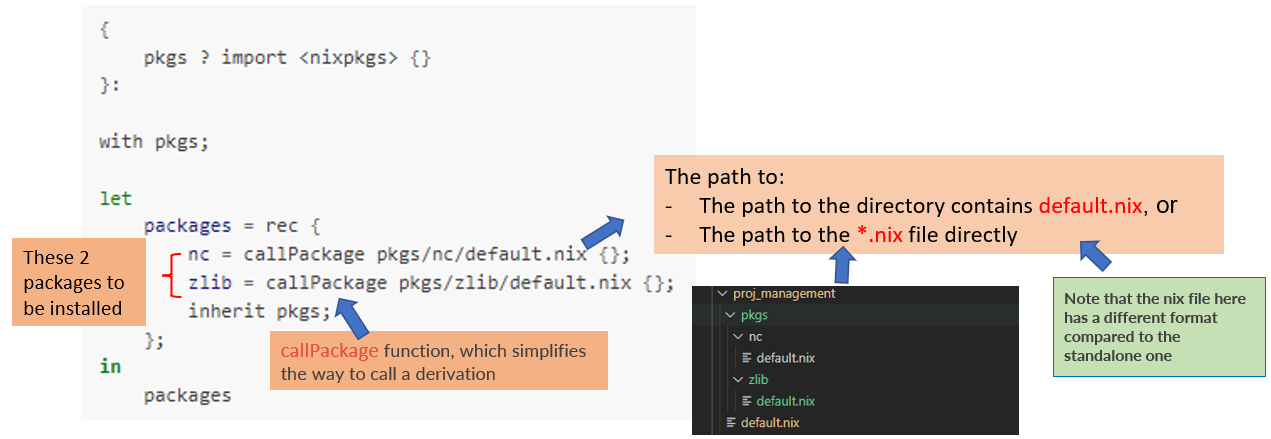
As mentioned here, the format of the *.nix in the subdirectory for a project is different from the standalone one,
here we give an example for the difference for netCDF:
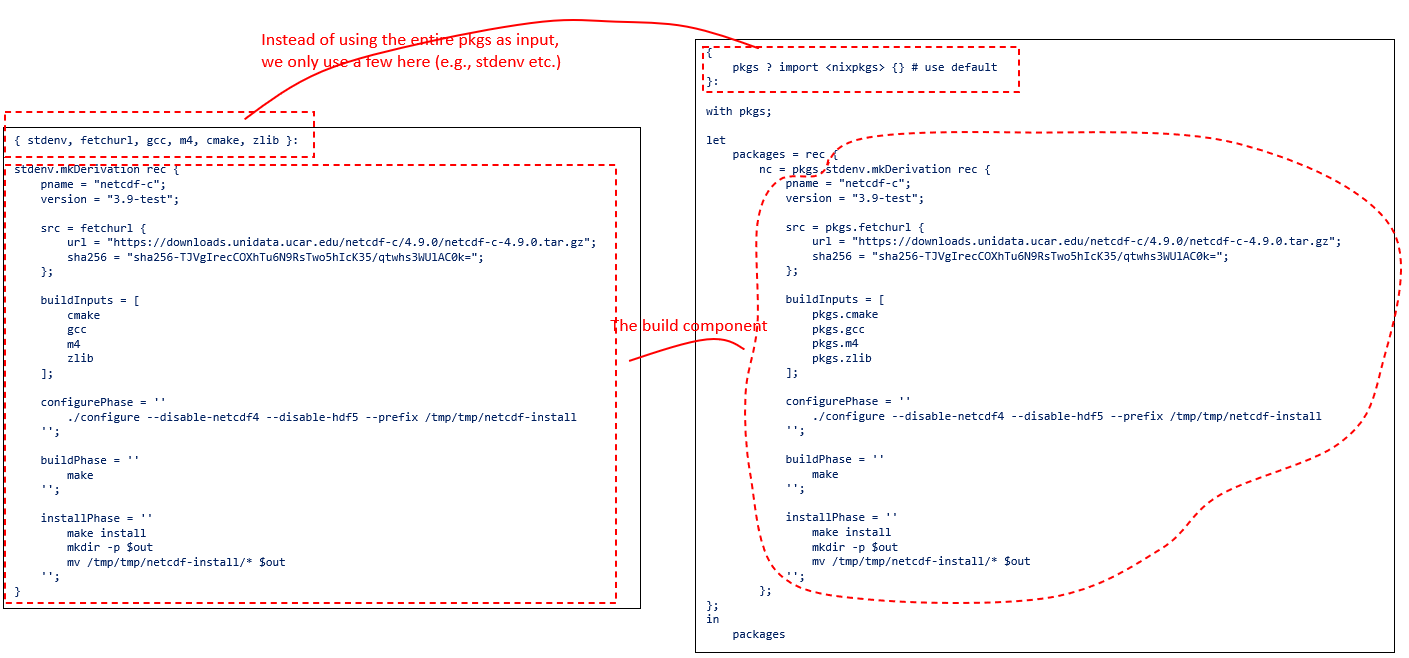
Therefore we can see that the *.nix in the subdirectory for a project is a simplified version for the standalone version.
A customized setup
In the above case, we install netCDF and zlib with the default version. It is worthwhile to note that netCDF requires zlib,
and in the previous section, the zlib is from the default version in nixpkgs.
In this example, we want to use a customized, user-defined zlib version,
{
    pkgs ? import <nixpkgs> {}
}:

with pkgs;

    let
        packages = rec {
            nc = callPackage pkgs/nc/default.nix { zlib = zlib_customized; };
            zlib_customized = callPackage pkgs/zlib/custom.nix {};

            inherit pkgs;
        };
    in
packages
As you can see, the dependancy zlib is from zlib_customized, which is installed through pkgs/zlib/custom.nix